Nineteen platform · Palm Beach National · every screen in the inventory

The wall

screens. built, not. The unbuilt ones are ghosted rather than omitted, because a wall showing only what exists misrepresents the work in both directions — it hides the plan, and it flatters the progress. Ghosted cells are specified in the screen inventory and carry the same ID and one-line purpose as the built ones.

Template fidelity — Kit fidelity — Specced, not mocked —

As authored is the truth: register is contextual, not a user preference. In-round screens are night because of sunlight and battery, not because anyone picked a theme — this app has no dark mode. The two forced states are a demonstration that the register system reaches every screen, not a product feature. The four in-round cells are exported PNG renders and do not follow the control.

The three prototype flows are reading paths through this wall, numbered in order. Flow 3 is the only one that changes surface — it starts in the console, hands off to the runner app, and comes back. That crossing is the argument no single-purpose vendor can make.

Golfer app — screens

Entry & identity

T2LIVEG-01Splash / welcomeFirst impression; guest path in
T3
G-02Phone OTP sign-inPhone number, six digits
T3
G-03Profile setupSkippable, three steps max
T2LIVEG-04Permissions primerSays why, before the OS asks
T3
G-05Buddy listSaved partners, invite by link

Home — the state machine

T1LIVEG-06Home — idleNo booking: book, or reserve a bay
T1LIVEG-07Home — round dayOn property: check in, tee off in 32
T2LIVEG-08Home — booking upcomingCountdown, roster, add players
T2LIVEG-09Home — at the rangeBay session live, league standings
T2LIVEG-10Home — post-roundPost score, settle the tab, rebook
T3
G-11Operational noticeFrost delay, cart path, lightning

Booking

T1LIVEG-12Tee sheet browseDate strip, member rate struck through
T3
G-13Filters sheetPlayers, window, holes, cart
T1LIVEG-14Detail & checkoutPer-player pricing, one CTA
T2LIVEG-15Add playersBuddies, contacts, placeholders
T2LIVEG-16Booking confirmedThe booking is real, and dated
T3
G-17My bookingsUpcoming and past
T3
G-18Modify / cancelFee stated before confirm
T2LIVEG-19Digital check-inArriving feels different from home
T3
G-20WaitlistQueue position, hold countdown

The round

T2LIVEG-21Round startCourse, tees, players. Three taps

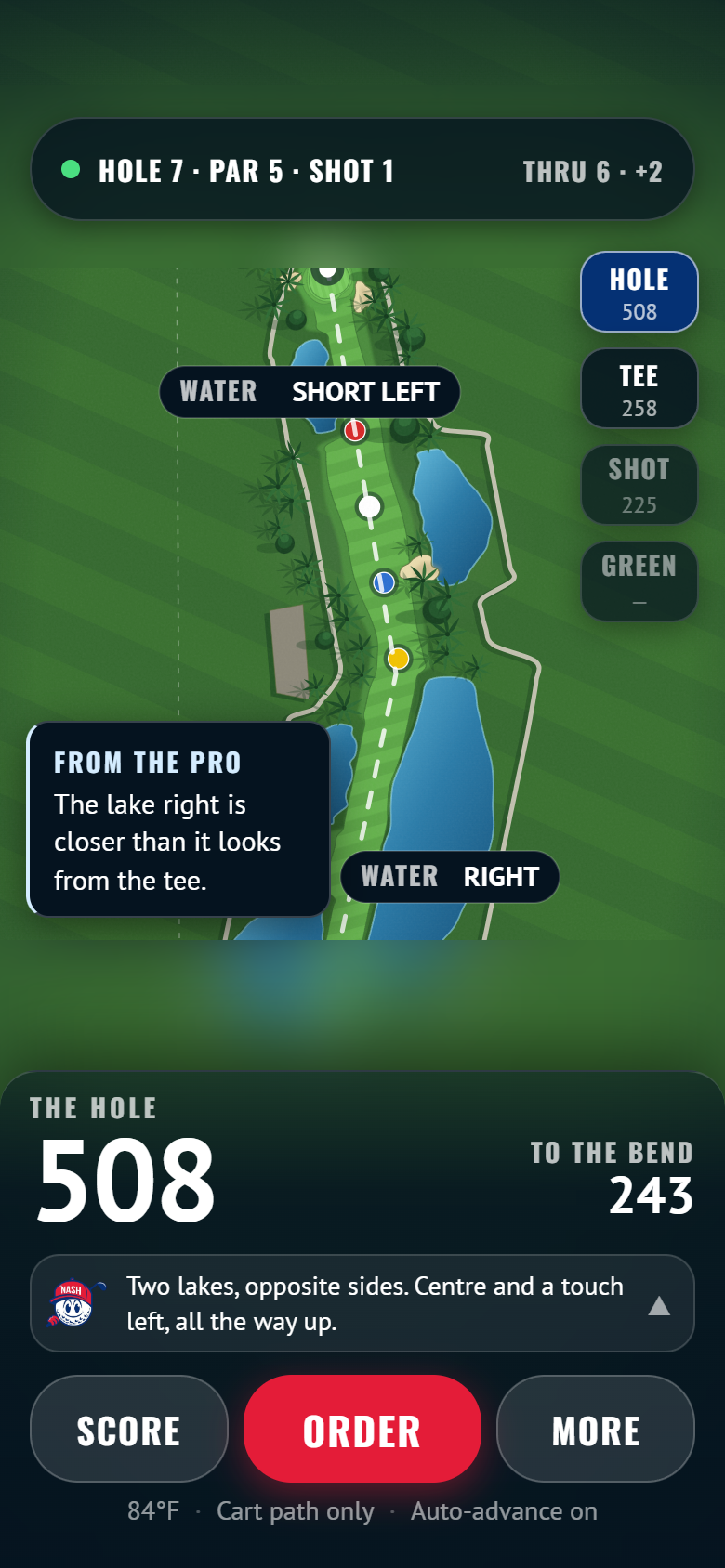
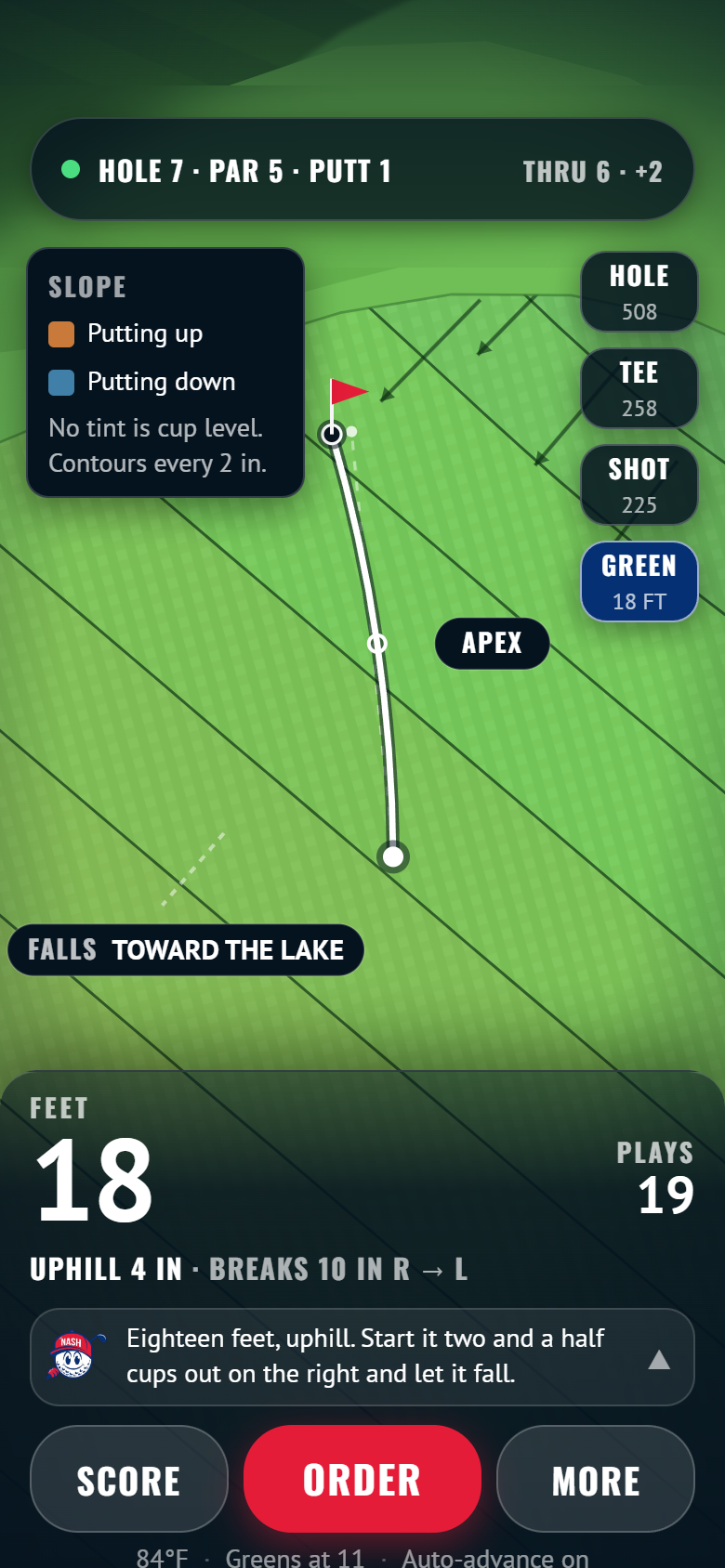
In round — hole 7, the only measured hole · template fidelity

T1G-23The holeWhole hole, strategy before you move
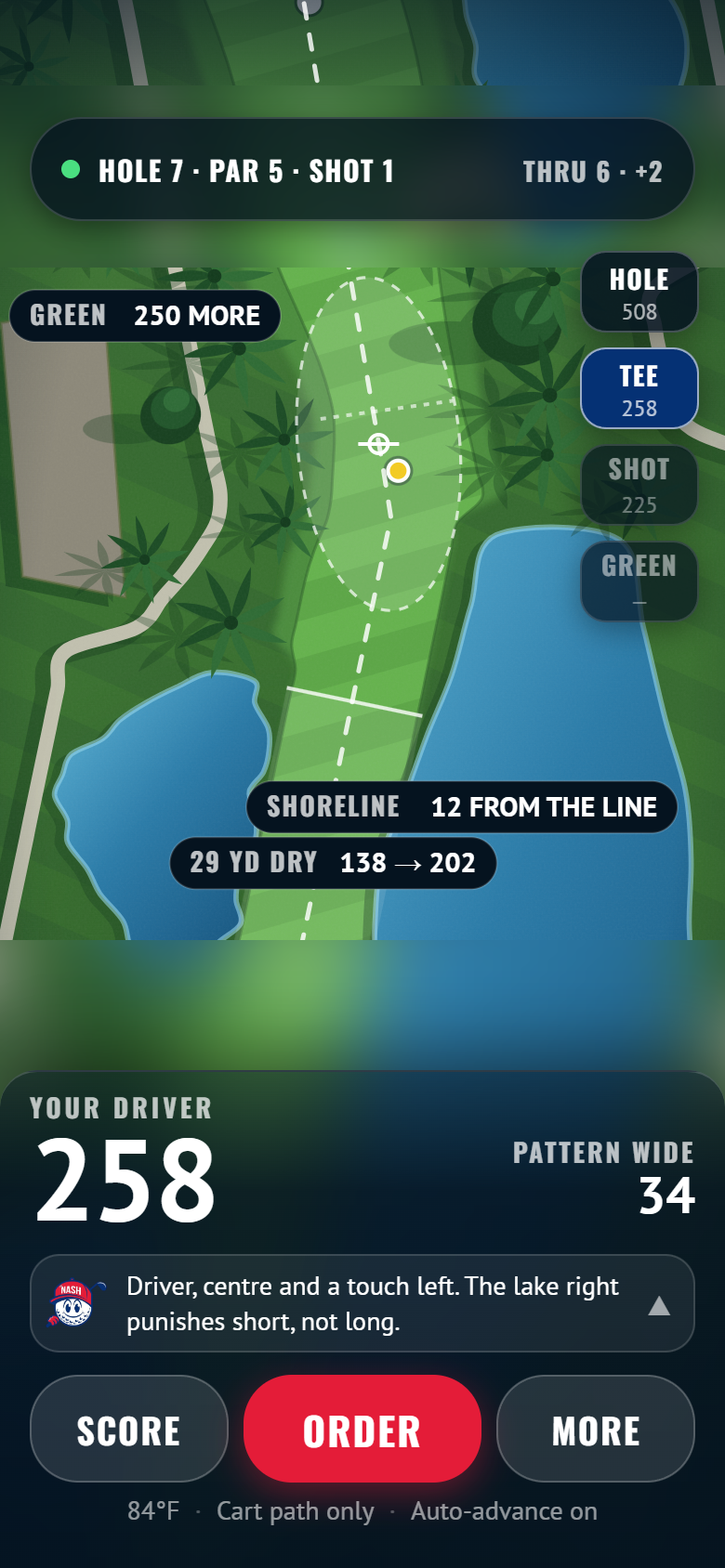
T1G-63The tee shotLanding zone, driver dispersion
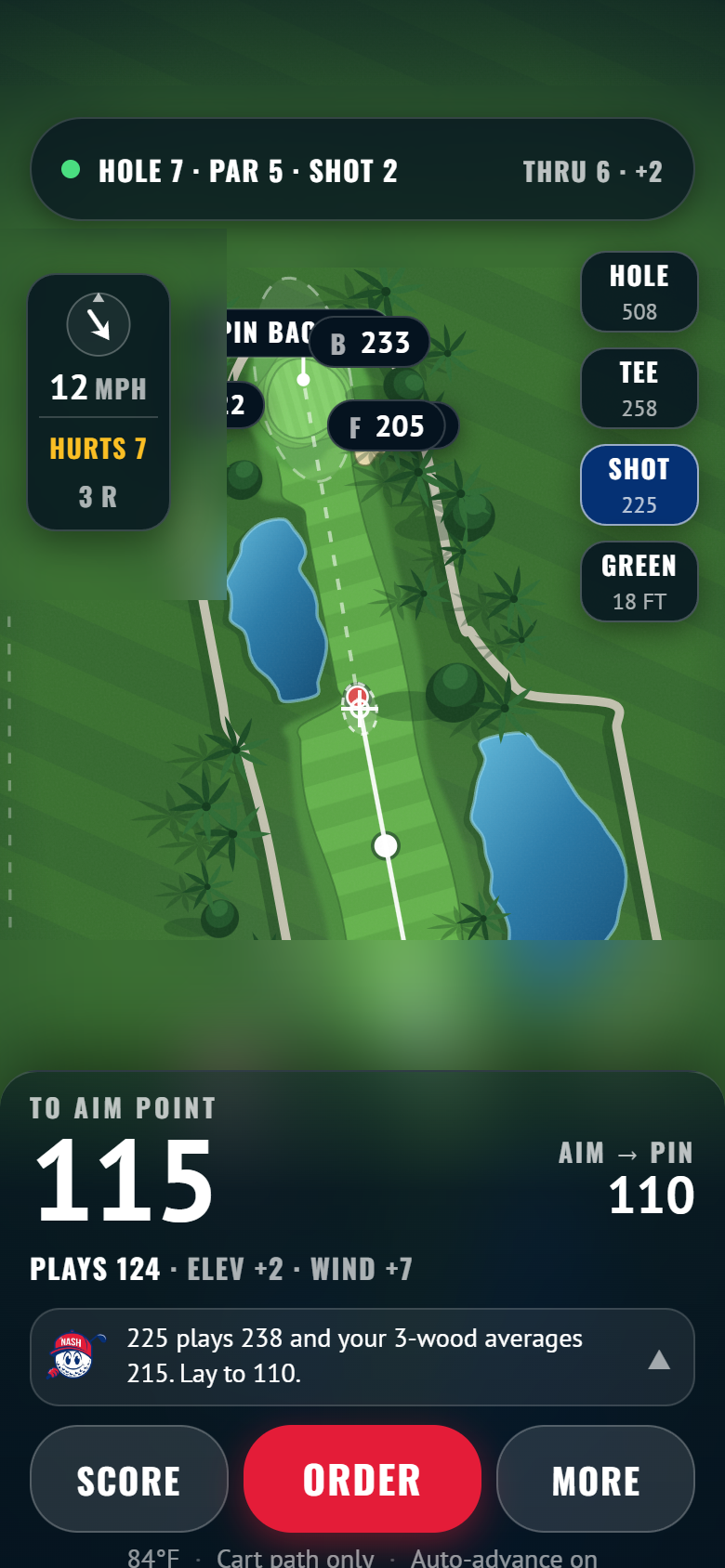
T1G-22The approach225 out. Go, or lay up
T1G-64The greenContours, fall lines, the read

The round, continued

T1LIVEG-24Scorecard entryPar-centred keypad, four players
T2LIVEG-25Scorecard fullNine out, nine in, net beside gross
T2LIVEG-26Lightning alertInterrupts everything, audibly
T3
G-27Pace statusA nudge, not a nag
T2LIVEG-28Round summaryThe round ends rather than stops
T3
G-29Side gamesSkins, nassau, wolf
T3
G-30Pro hole notesContent nobody else has

Order

T1LIVEG-31MenuDaypart aware, one item 86’d
T3
G-32Item detailModifiers, allergens, alcohol flag
T1LIVEG-33Cart & destinationDestination list is contextual
T1LIVEG-34Order trackingRunner on a map, live ETA
T3
G-35Order history“The usual”
T3
G-36Running tabSettle once, one tip

Range

T1LIVEG-37Bay availability6 of 24 open. Fixes a dead link
T2LIVEG-38Walk-in queue“We’ll text you”
T2LIVEG-39Active bay sessionPractice becomes a place to order
T3
G-40Range statsDispersion, club carries
T3
G-41Inrange gamesLongest drive, shrinking targets
T3
G-42Lesson bookingPro, slot, what to bring

Events & competition

T1LIVEG-43Event catalogTheir real programs
T2LIVEG-44Event detailRegister as individual or team
T3
G-45Team pageRoster, join code, flight
T1LIVEG-46Live leaderboardGross/net, your row pinned
T2LIVEG-47League standingsSeason table, two off the lead
T2LIVEG-48Event score entryCaptain enters, attestation
T3
G-49My event dayYour tee, partners, rules
T3
G-50Outing quoteLead capture for outings

Membership & profile

T1LIVEG-51MembershipSmash Pass $29 against PBN Card
T2LIVEG-52Member cardQR, tier, entitlements
T3
G-53WalletCredits, rain checks, ledger
T3
G-54ProfileHandicap, GHIN, club distances
T2LIVEG-55Round historyTrends, bests, hole-by-hole
T3
G-56NotificationsPer channel, per category
T2LIVEG-57Privacy & locationWhat’s collected, and a kill switch
T3
G-65Data export & deletionTake your data, or close the account

Shop

T3
G-58Shop catalogSoft goods and hard goods
T3
G-59Product detailOne product
T3
G-60Buy → pick upPick up at the turn
T3
G-61Gift cardsGift cards
T3
G-62RentalsSets and push carts

Staff console — screens

Golf shop

T1LIVEC-01TodayThe day’s sheet. Paid and unpaid
T2LIVEC-02Tee sheet day viewGrid, blocks, drag to move
T2LIVEC-03Walk-in bookingCounter speed
T3
C-04Check-in detailBalance, cart, take payment
T3
C-05Blackouts & shotgunsBlackouts and shotgun setup

Kitchen & delivery

T1LIVEC-06Kitchen displayIncoming, preparing, ready
T2LIVEC-07Order dispatchA ticket becomes a person driving
T2LIVEC-08Live delivery mapWhere everything is, right now
T2LIVEC-09Menu & 86One-tap 86
T3
C-10Order throttlePause, delay, set a ceiling

Range

T1LIVEC-11Range bay boardEvery bay, waitlist alongside
T2LIVEC-12League night modeTeams by bay, push to the TV

Events

T3
C-13Events listDraft, open, running, complete
T1LIVEC-14Event consoleRoster, teams, message all
T2LIVEC-15Pairings builderAuto-generate, drag, publish
T2LIVEC-16Scoring adminCorrect, recompute, audit
T3
C-17Payouts & resultsPrizes and results package

Customer & comms

T2LIVEC-18Customer lookupWho they are, and what they spend
T3
C-19Refunds & creditsAmount, reason, audit entry
T2LIVEC-20Broadcast composerAudience, channel, preview
T3
C-21Content managementHole notes, conditions, pin sheet
T3
C-25Membership administrationAdminister what G-51 sold

Owner

T1LIVEC-22InsightsRevenue by centre. Attach rate
T3
C-23Staff & rolesRBAC matrix, invite, deactivate
T3
C-24Course settingsRates, dayparts, integrations

Runner — screens

The delivery loop

T1LIVER-01Active deliveryOne order, one enormous button
T2LIVER-02Delivery queueRoute order, not order time
T3
R-03Can't locatePing, call, hold at the turn
T3
R-04Shift start / endOn duty, location consent

Public & link-out — screens

Leaves with one job each

T1LIVEP-01Spectator leaderboardA link, not an install
T2LIVEP-02Clubhouse TV55 inches, seen from 12 feet
T2LIVEP-03Web bookingTheir tee sheet, their domain
T2LIVEP-04Event registrationOne page per event, shareable
T3
P-05Outing enquiryCorporate and charity leads
T3
P-06App install promptThe only exit into the app
Concept proposal — not an official Palm Beach National product. Tier labels and screen list from 02-SCREEN-INVENTORY.md; flows from 07-FLOW-MAP.md §8. The kit cells are the real components, mounted live on this page and scaled down — not screenshots. The four in-round cells show exported renders of the templates. Every built screen here is the live component, mounted on this page and scaled — not a screenshot. Each screen declares its authored frame (phone 390×844, console 1440×900, public 1200×900) and its cell takes both its aspect and its scale basis from that, so nothing is cropped or shrunk against the wrong basis. The console surfaces use two wide columns rather than three narrow ones: legibility beats density when the point of C-18 and C-22 is a number you have to be able to read. Renders are inert; the cell is the link.